


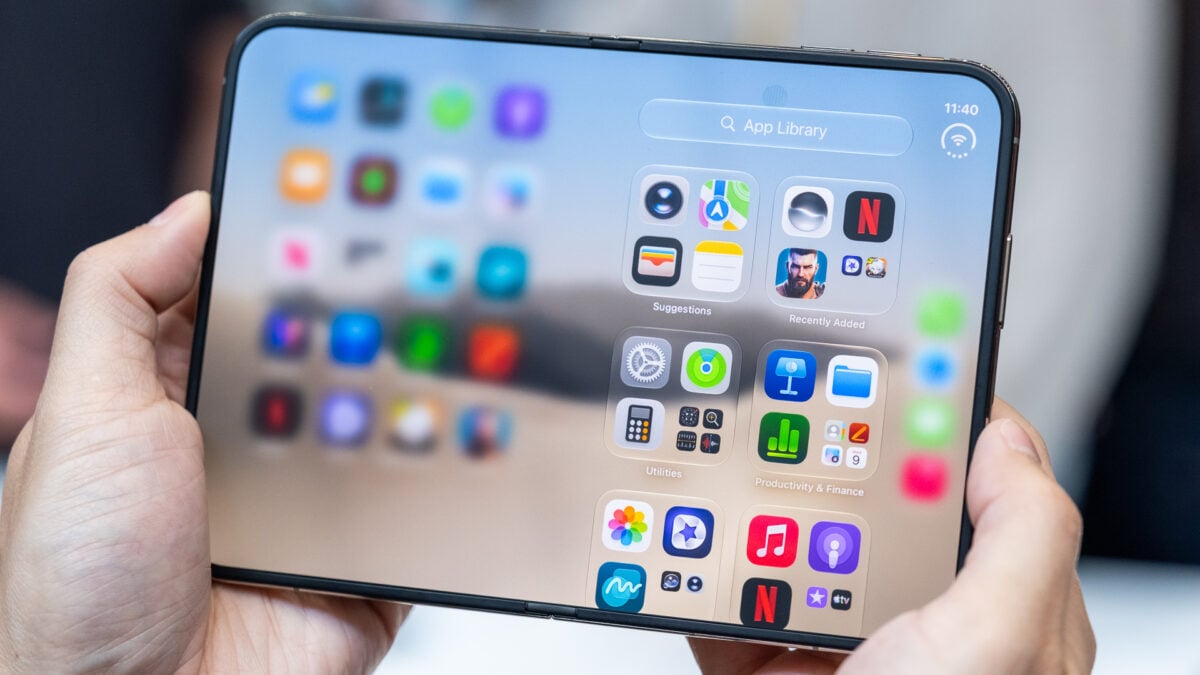
Warning: Do Not Remove the Nano-Texture Layer on Your iPhone Duo
In a recent discussion surrounding the much-anticipated iPhone Duo, YouTuber Quinn Nelson (known as Snazzy Labs) revealed some important pricing information regarding AppleCare+. A particularly noteworthy point was the cost associated with repairing the nano-texture protective layer on the device’s inner screen, which is set at $19. This is significantly more affordable than the prospect of having to replace the entire display if only the outer surface is damaged.
Understanding the Nano-Texture Layer
Nelson highlighted that the nano-texture “cover layer” is treated separately from the inner display of the iPhone Duo. While he expressed the necessity of AppleCare+, he was pleased that the deductibles aligned closely with previous iPhone models.
Interesting that the Nano Texture “cover layer” is covered (ha) separately from the inner display. On the one hand, AppleCare+ is a non-negotiable on this phone. On the other hand, I’m actually pleased the deductibles are largely the same as other iPhones! pic.twitter.com/AM3HhIKhfV
— Quinn Nelson (@SnazzyLabs) October 1, 2026
Expert Opinions on Self-Removal
Technology journalist Nicolas Lellouche shared insights from Apple representatives, indicating that users could potentially replace the nano-texture cover layer independently. This has led to discussions about the possibility of having a glossy display without damaging the device. YouTuber Vadim Yuryev from Max Tech called this feature a “GAME Changer,” suggesting enhanced contrast and display quality.
Caution Advised
Nevertheless, experts stress the importance of not attempting to peel off the nano-texture layer on one’s own. Despite professionals being able to execute this task effectively, untrained individuals could inadvertently damage the display or compromise its durability. Kate Bergeron, Apple’s VP of hardware engineering, emphasized that although the cover layer is “actually replaceable,” this was not an invitation for consumers to attempt removal themselves.
Risks of DIY Removal
Attempting to remove the layer could result in:
- Damage to the inner display and pixel integrity.
- A decrease in screen durability over time.
- Potential malfunction of the upcoming Apple Pencil support.
The Importance of the Nano-Texture Layer
This protective layer is integral to the structure of the iPhone Duo as it shields the display and minimizes the appearance of creases. Negative experiences from past devices, like the original Samsung Galaxy Fold, demonstrated the dire consequences of removing protective films without professional assistance. Samsung went on to issue warnings to users against self-removal.
Conclusion
In summary, if you are considering removing the nano-texture layer from your iPhone Duo, it is strongly advised against. Doing so could lead to substantial damage to your device. Instead, if a glossy display is what you are after, alternatives from manufacturers like Samsung or Xiaomi might better suit your needs.
